Annotate
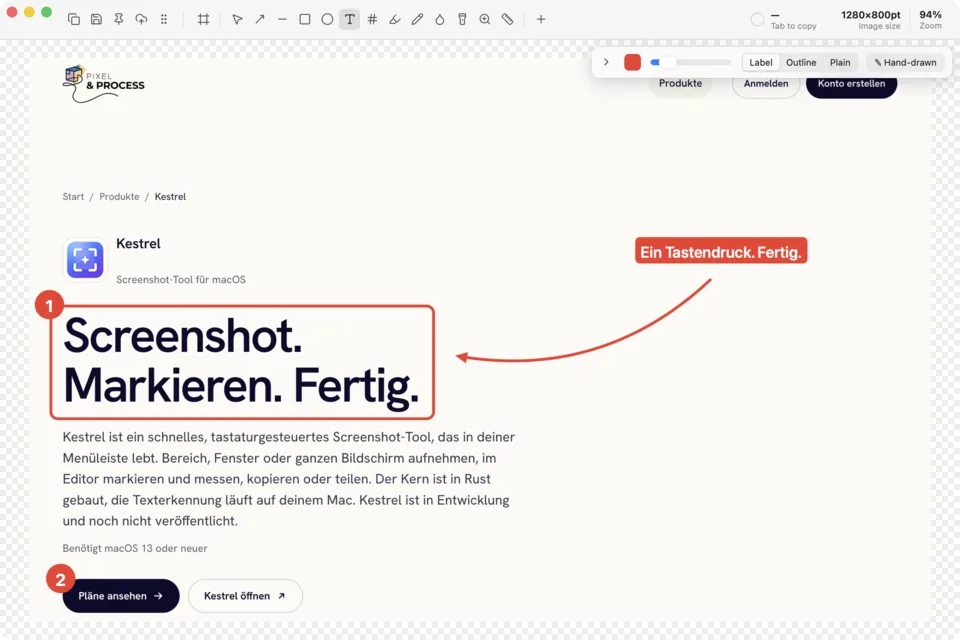
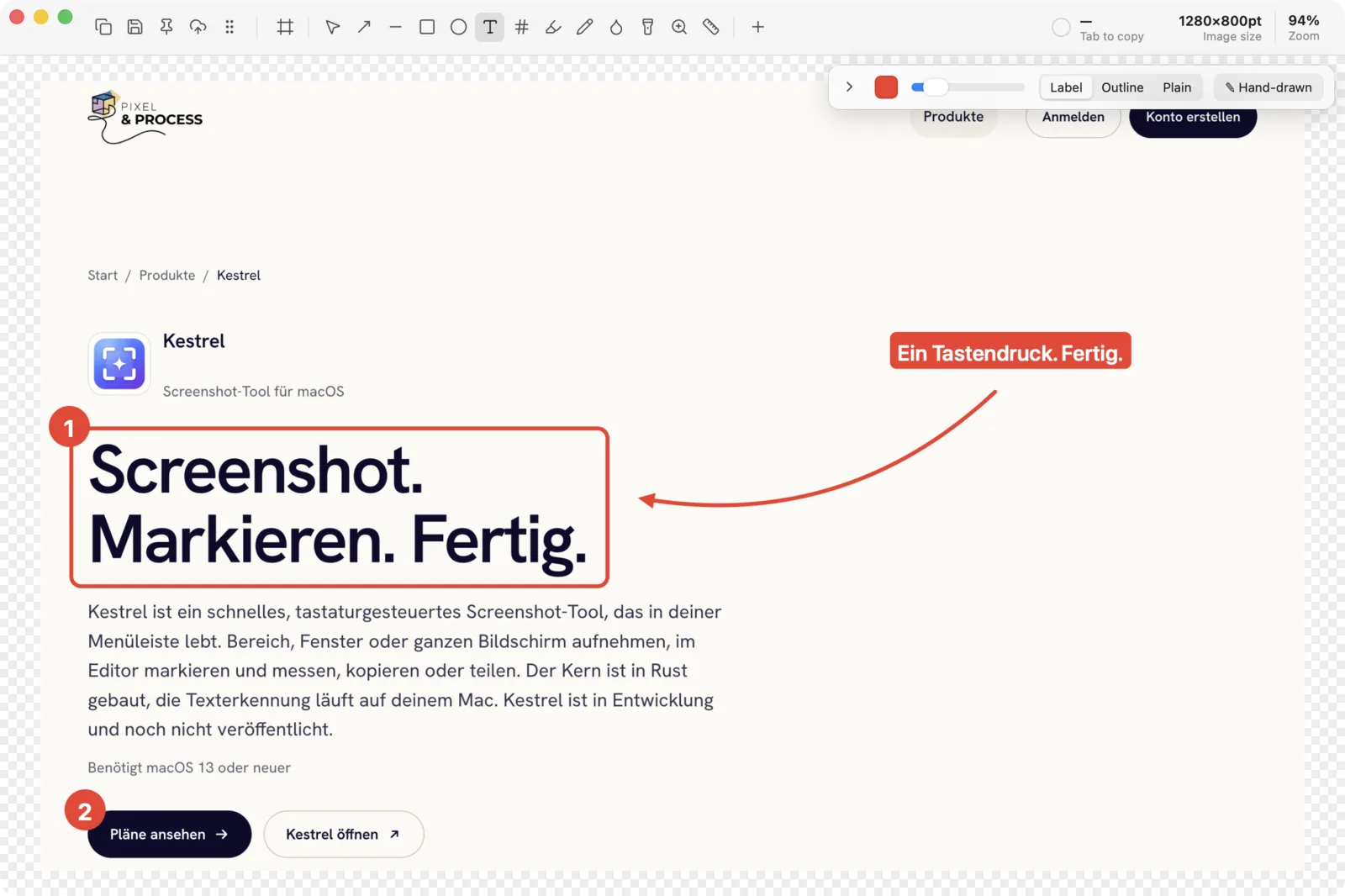
Arrows in four styles including curved, lines, rectangles and ovals, text as label, outline or plain, auto-numbered counters, highlighter and freehand. Switch on the hand-drawn look for a sketchier feel.
⌘⇧2 Screenshot tool for macOS
Kestrel lives in your menu bar. Press ⌘⇧2, drag out an area, mark what matters and copy the result. The whole thing takes a few seconds and you never touch the mouse more than you need to.
Press the shortcut. Every monitor freezes, and you drag out an area with crosshair and loupe, or click a window.
Arrows, boxes, text, counters, blur. Each tool sits on one key, so your hand stays on the keyboard.
Copy, save, pin it on screen, drag it into another app, or get a link from Kestrel Cloud.
Capture
The overlay freezes the screen the moment you press the shortcut, on every monitor at once. A loupe shows the pixels under the crosshair and the size readout tells you exactly what you get.
Assign the rest in Settings → Shortcuts. Kestrel can hide your desktop icons while it captures, and every capture lands in a history window you can reopen later.
Editor
One canvas renders what you see and what you export, so the copy looks exactly like the editor.
Arrows in four styles including curved, lines, rectangles and ovals, text as label, outline or plain, auto-numbered counters, highlighter and freehand. Switch on the hand-drawn look for a sketchier feel.
Blur, pixelate or erase sensitive spots. Hide Text removes every recognised line in a selection. Spotlight dims everything else, the magnifier enlarges a detail.
Auto rulers snap to content, guides and snapping keep things aligned, and ⌥ shows the distances between objects. Read colours in HEX, RGB or OKLCH and check contrast with WCAG and APCA.
Backdrop with gradient, padding, rounded corners, shadow and aspect ratio. Insert more captures or images, resize on export, or build a before/after GIF.
Keyboard first
Try it: press any of these letters on your keyboard.
⌘⇧3, 4 and 5 stay with the macOS screenshot tool. Every shortcut can be changed.
Text and QR
Select an area and the recognised text or QR payload goes to your clipboard. Recognition runs on your Mac with Apple Vision, nothing leaves the device. Line breaks can be removed on the way.
Scrolling capture
Kestrel scrolls for you, or you scroll yourself. The frames are stitched together, sticky headers and footers appear only once, and a maximum height keeps things sane.
For developers
Kestrel ships an MCP server. Claude Code, Codex, Cursor and others can list windows, take screenshots and read text through Kestrel, which already has the Screen Recording permission. It is off by default and every capture shows a notification.
claude mcp add kestrel -- /Applications/Kestrel.app/Contents/MacOS/kestrel --mcpOne-click setup in Settings → General finds Claude Code, Codex, Claude Desktop, Cursor, Windsurf, VS Code and Gemini CLI.
Read the MCP docsKestrel Cloud
Sign in to Kestrel Cloud from the app and share any capture as a link with a clean viewer page. Links expire when you want them to, Pro adds passwords and syncs your capture history across Macs.
Privacy
A screenshot tool sees everything you see. So Kestrel works offline, keeps captures on your Mac and sends nothing unless you ask it to.
Pricing
Every capture and editor feature is free, without an account. A supporter licence funds development, Kestrel Cloud Pro adds sharing and sync.
The full app.
€0forever
Keeps Kestrel independent.
€12once
For people who share a lot.
€4per month, or €36 a year
Prices include VAT where it applies.
| Free | Free + supporter | Pro | |
|---|---|---|---|
| Share links (active) | 25 | 100 | Unlimited (fair use) |
| Max link expiry | 7 days | 30 days | Any, incl. never |
| Password links | Not included | Not included | Included |
| History sync | Not included | Not included | Included |
| Storage | 500 MB | 2 GB | 50 GB |
| Max upload | 25 MB | 25 MB | 100 MB |
Yes. The app is free, with every capture and editor feature and no account. Kestrel lives from its users’ support, so if it saves you time, a supporter licence (€12, once) keeps development going.
It is a thank-you more than a paywall: it works on 3 Macs, does not expire, includes all future updates, stops the occasional support reminder and raises your Kestrel Cloud limits to 100 links with 30-day expiry.
macOS 13 Ventura or newer on Apple Silicon. Windows is planned, the core already builds for it.
No. Captures stay on your Mac. An image only leaves it when you share it to Kestrel Cloud or upload it to S3 storage you set up yourself.
Screen Recording, for every capture. Accessibility only if you want automatic scrolling capture, manual scrolling works without it. The setup guide shows the live status of both.
Kestrel checks for updates on its own and offers them in the menu bar. You can also choose “Check for Updates…” at any time.
Yes, with the kestrel:// URL scheme, for example kestrel://capture/area or kestrel://capture/scroll. It is off by default, turn it on in Settings → General.

Download Kestrel, press ⌘⇧2, and see.
Download for macOS